Manual bookkeeping can be a perfectly reasonable place to start. A new business with a small number of straightforward transactions may be able to keep orderly records with a ledger, a spreadsheet, and a consistent routine.
But as a business grows, the work changes. There are more transactions to record, more documents to keep track of, more people who need reliable numbers, and less room for delays or duplicate work.
At some point, the question is no longer just whether the books can be maintained manually. It is whether that process is still giving the business timely, dependable information without taking too much time away from running it.
That is where computerized accounting can help.
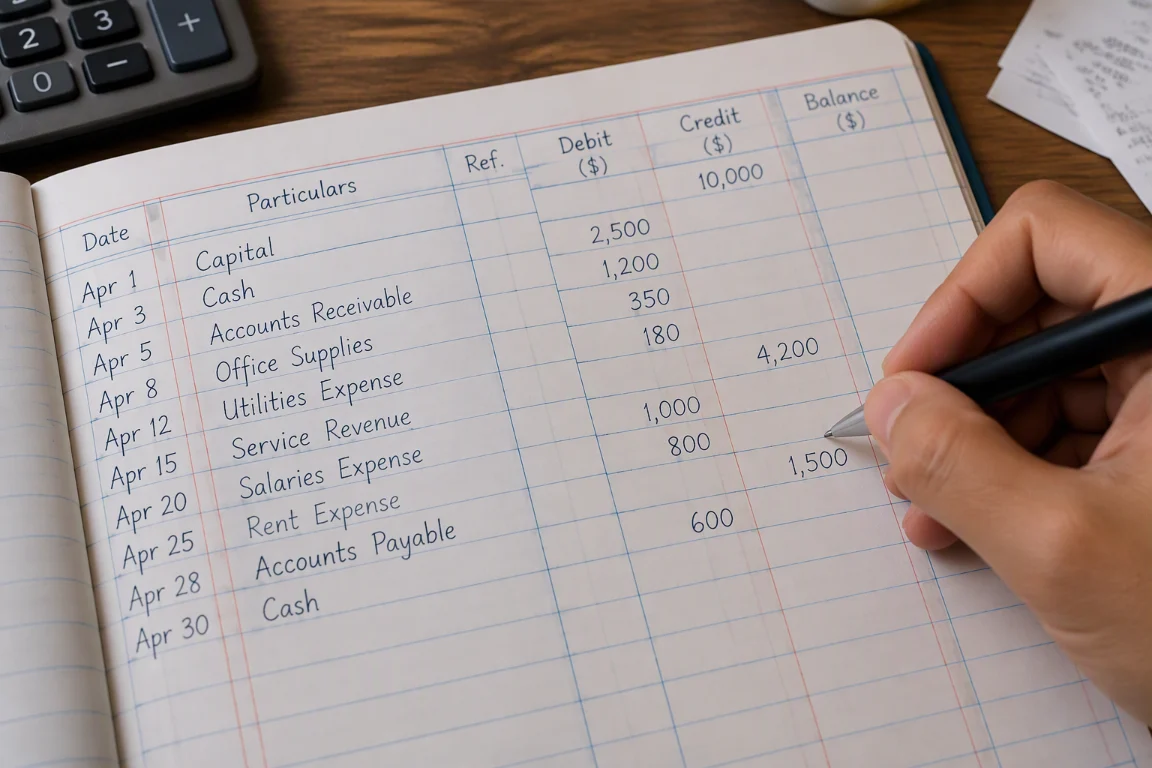
An example of transactions recorded in a paper ledger.
What do we mean by computerized accounting?
Computerized accounting uses accounting software to record, organize, and report on a business’s financial activity. Depending on the system and how it is configured, it may help maintain account balances, create reports, connect transactions to supporting records, and apply repeatable rules to common entries.
It does not remove the need for sound bookkeeping practices. People still need to classify transactions correctly, review exceptions, keep source documents, and make informed accounting decisions. Software changes how much of the routine work can be organized and repeated; it does not make every input correct by itself.
Manual bookkeeping and computerized accounting compared
| Area | Manual bookkeeping | Computerized accounting |
|---|---|---|
| Recording transactions | Entries are written or entered into separate records, often with manual calculations. | Transactions can be recorded in structured forms, with calculations and posting behavior handled by the system. |
| Finding information | Locating a past entry may mean searching pages, files, or spreadsheets. | Search and filters can make records easier to retrieve, depending on the system. |
| Preparing reports | Totals and reports may need to be compiled and checked manually. | Reports can be generated from recorded data, subject to accurate setup and complete entries. |
| Consistency | Depends heavily on the person recording and checking each transaction. | Templates and configured rules can make repeat transactions more consistent, but still need review. |
| Changes and corrections | Corrections may require updating several records and rechecking totals. | Changes may be easier to trace in systems with appropriate history and controls; practices vary by system. |
| Cost and effort | May have lower software costs, but requires ongoing staff time and manual checks. | May reduce some repetitive work, but brings software, setup, training, and ongoing administration costs. |
Neither approach is automatically right for every business. The useful comparison is the total effort, reliability, and visibility each approach gives your business as its needs change.
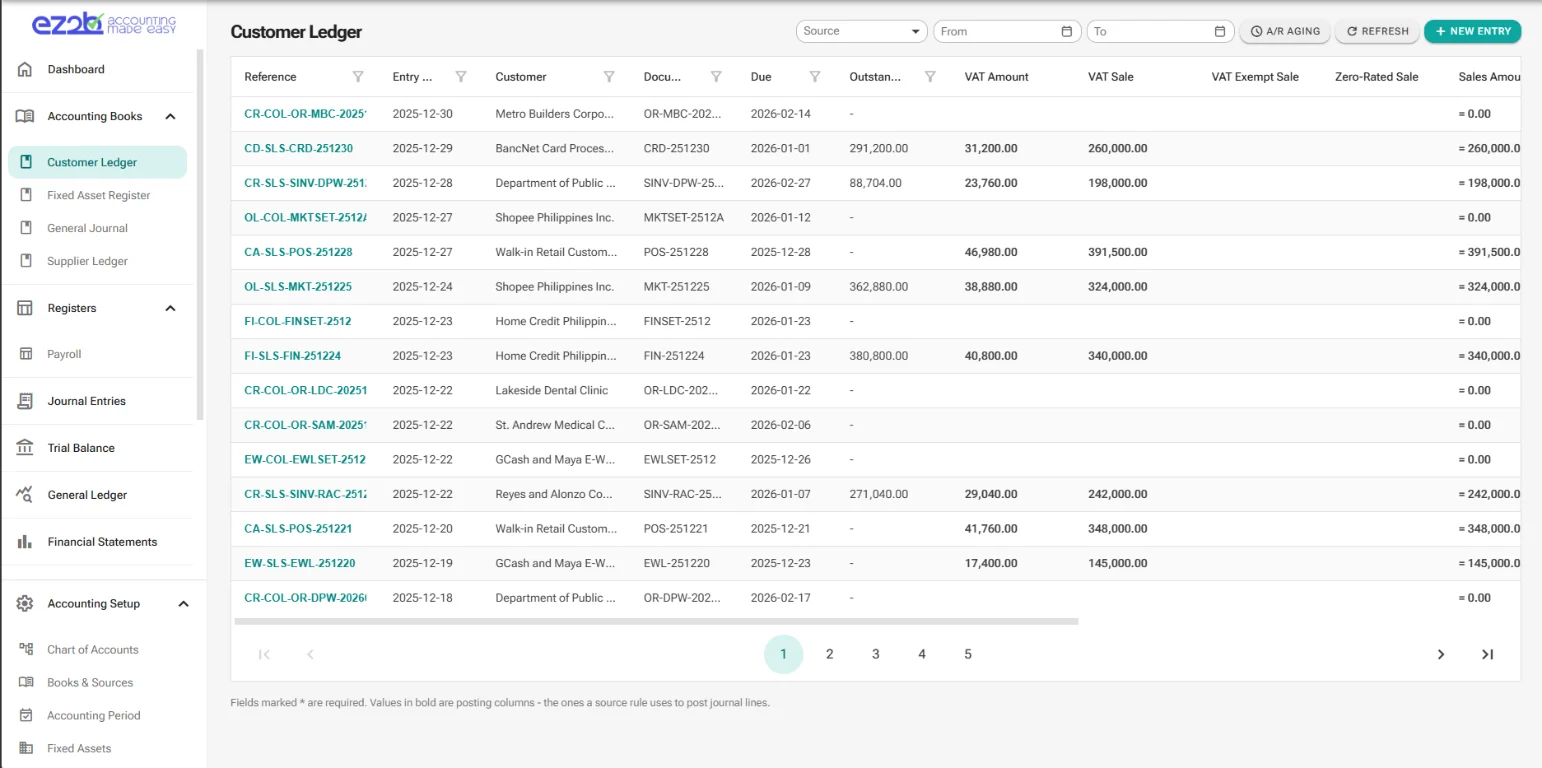
Illustrative screen from EZ2B Accountant. Transaction details are from a Demo Company created by AI and not from an existing company.
Why businesses move to computerized accounting
1. Less time spent repeating routine work
When the same calculations, summaries, or transaction details have to be copied between records, the work adds up. Accounting software can handle calculations and organize entries in one system, which may reduce repeated data entry and manual totaling.
Time saved is not guaranteed. It depends on how the system is configured, how transactions enter it, and whether the business maintains clean processes. A poor setup can simply move inefficiency onto a screen.
2. A clearer view of the numbers
With complete and up-to-date records, a business can use accounting reports to understand income, expenses, balances, and other financial activity. Instead of waiting for someone to reconcile separate files and prepare each summary, the team may be able to review a current view sooner.
The word “current” matters: a report is only as useful as the transactions entered into the system. Late or missing records can make a polished report misleading.
3. Easier retrieval of transaction details
When a supplier asks about a payment or a manager wants to understand a particular expense, being able to search and filter records can make follow-up easier than hunting through paper files or multiple spreadsheets.
Digital records are most useful when they are entered consistently and linked to the right supporting documents. A folder full of unnamed scans is still hard to navigate.
4. More repeatable bookkeeping processes
Accounting systems can use configured accounts, transaction categories, and posting rules to guide how familiar activities are recorded. That can help teams follow the same process from one period to the next and reduce avoidable variation.
Rules should be reviewed, especially when the business changes. Repeating an incorrect rule more consistently does not make it correct.
5. Better support for a growing workload
More customers, suppliers, staff, and transactions usually mean more records to maintain and more questions to answer. A well-chosen computerized system can make it easier to handle a larger volume without relying on a growing number of disconnected documents.
Growth alone is not a reason to buy the most complex platform available. The system should fit the business’s real workflows, responsibilities, and reporting needs.
What computerized accounting does not solve on its own
Moving to software is not a substitute for good financial processes. A computerized system cannot automatically correct incomplete source documents, unclear approval responsibilities, or misclassified transactions. Nor does using software, by itself, guarantee compliance with accounting or tax requirements.
Businesses should also consider practical trade-offs:
- Setup and migration: Existing account lists and records may need to be reviewed, cleaned, and transferred carefully.
- Training and change: People need time to learn the system and agree on consistent procedures.
- Ongoing cost: Consider software charges as well as implementation, support, and staff time.
- Access and data protection: Decide who should have access, how records are protected, and how backups and recovery are handled.
- Fit and flexibility: A system should support the way the business works without adding unnecessary complexity.
Signs it may be time to make the move
Consider evaluating computerized accounting if:
- You regularly spend too much time re-entering, totaling, or checking the same information.
- You struggle to answer basic questions about income, expenses, or outstanding balances promptly.
- Multiple spreadsheets or paper records disagree, and no one is sure which is up to date.
- Finding the documents behind a recorded transaction is becoming difficult.
- More people are involved in recording, reviewing, or using financial information.
- The volume or complexity of transactions has outgrown the process you started with.
These are prompts to review the process, not proof that a particular product is needed. Some businesses can first improve their existing bookkeeping routine; others may benefit from moving to a system that better fits their needs.
Make the transition deliberately
Before choosing software, map the work you need it to support. List the records you maintain, the reports you rely on, the people responsible for each step, and the problems you most want to solve. Then compare systems against those requirements.
Plan the transition too. Review opening balances, agree on a date to move over, decide how much historical detail to bring across, test key reports, and make sure the people who will use the system understand the new process. Have a qualified accounting professional review accounting treatments and migration decisions where appropriate.
The goal is not to computerize every task for its own sake. It is to keep reliable books with less friction and give the business information it can use with confidence.